 NextEdge
Run your whole school or coaching centre from one app
Admissions, attendance, fees, exams, live classes, transport and parent updates in one place, with an assistant that answers from your own data.
स्कूल और कोचिंग का पूरा काम, एक ऐप में।
30-day free trial. Works on Android and in any phone browser.
Example message, by app, WhatsApp or SMS
Example
- 40+modules in one place
- 2 in 1schools and coaching centres
- 3 waysalerts by app, WhatsApp, SMS
- No hardwareneeded for live bus tracking
- 30 daysfree trial
One platform, two kinds of institution
The same product, tuned to how each one really works.
For schools
From the first enquiry to the transfer certificate.
- Online admission with documents and OTP
- Timetable, attendance, exams and report cards
- Fees, transport, library, health and more
For coaching centres
Batches, classes, tests and results that students keep coming back to.
- Study material, live classes and online tests
- Doubt box and batch-wise fees
- Enquiry follow-up until admission
Solutions for the jobs your office does every day
Each one connects to the rest, so nobody types the same thing twice.
School Fee Management Software
Fee plans, receipts, defaulters and reminders.
Online Admission Software for Schools
Online form, documents, OTP and tracking.
School Bus Tracking Software
Parents see where the bus is, no hardware needed.
Student Attendance Software
One-tap roll call, parent alerts, biometric.
School Exam and Report Card Software
Exams, marks, ranks and report card PDFs.
School Timetable Software
Period timetable, clash checks, substitutes.
School ID Card and Certificate Generator
ID cards with QR, TC and certificates as PDFs.
Online Test and Live Class Software for Coaching
Live classes, MCQ tests, study material, doubts.
See it in action
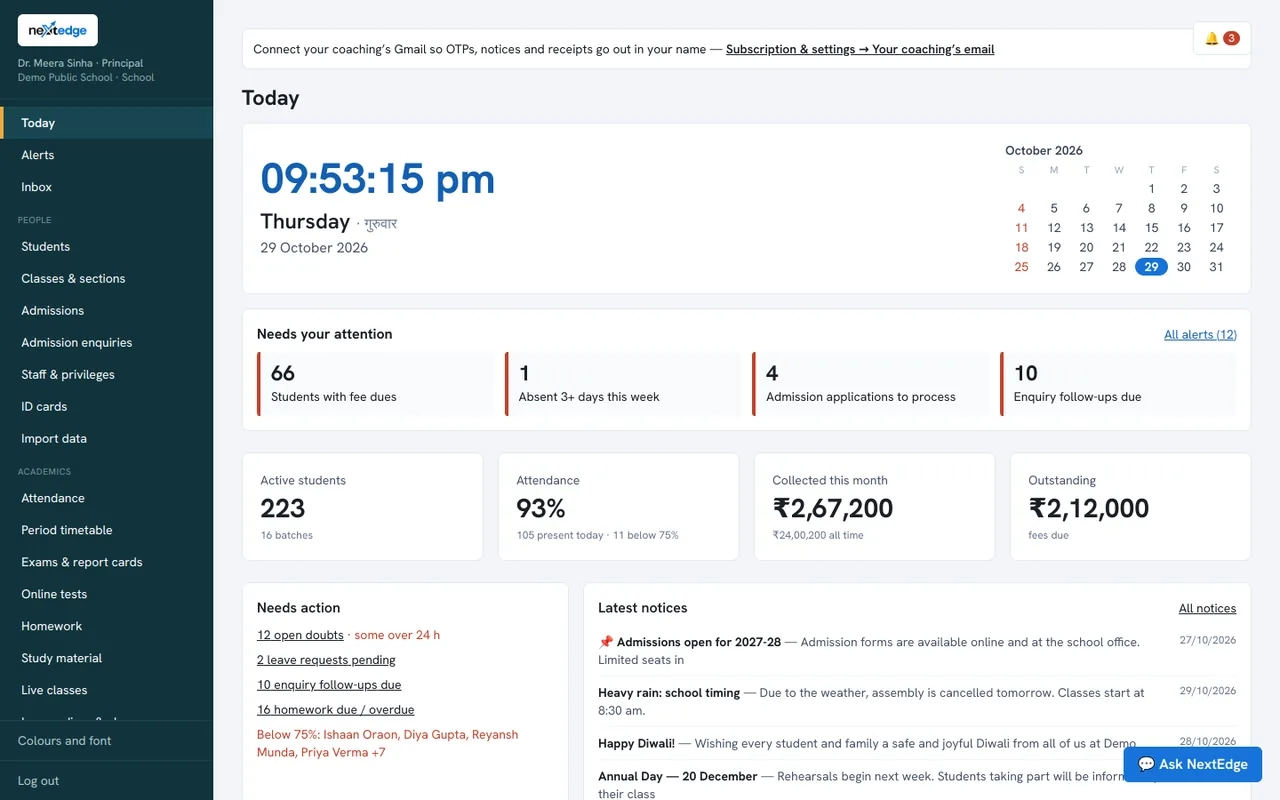
These are real screens from the NextEdge admin panel, filled with demo data.
The principal's home: what needs attention, attendance, fees collected and the school calendar.
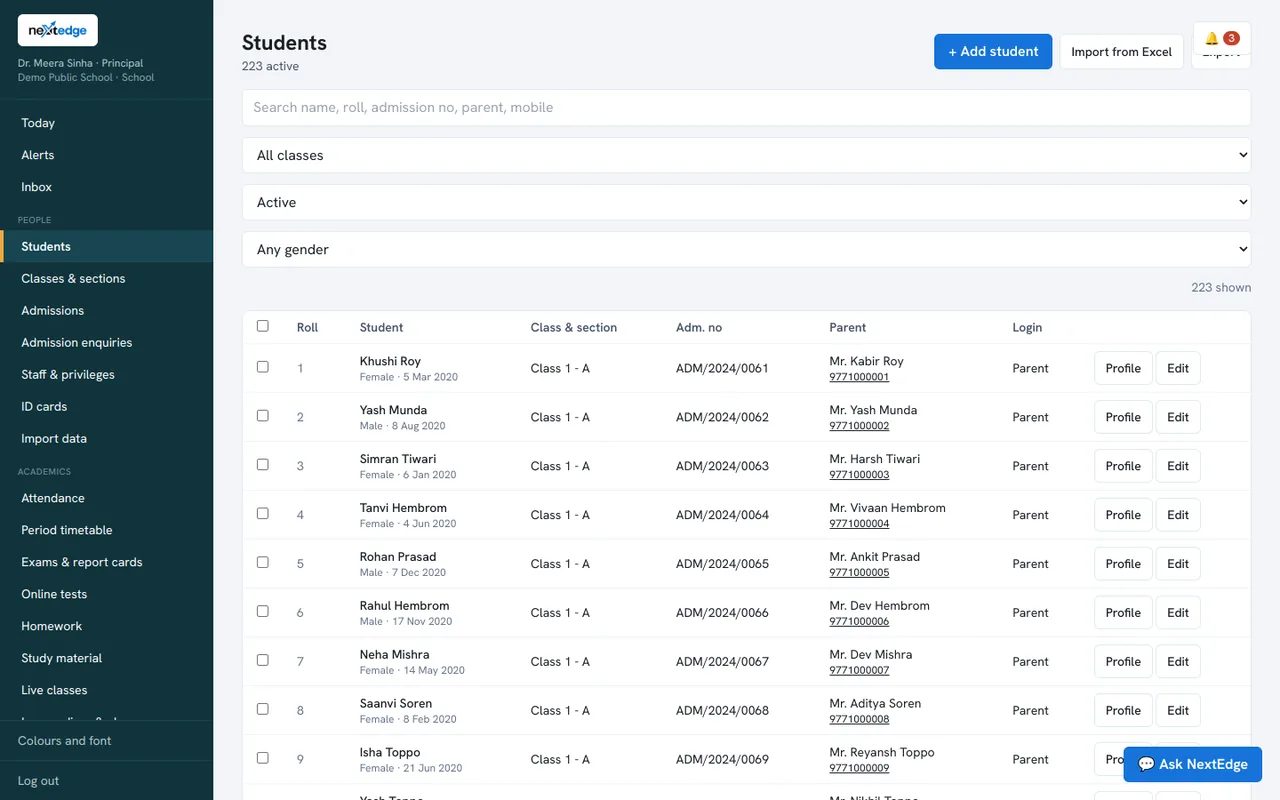
Every student in one searchable list, with class, parent and quick actions.
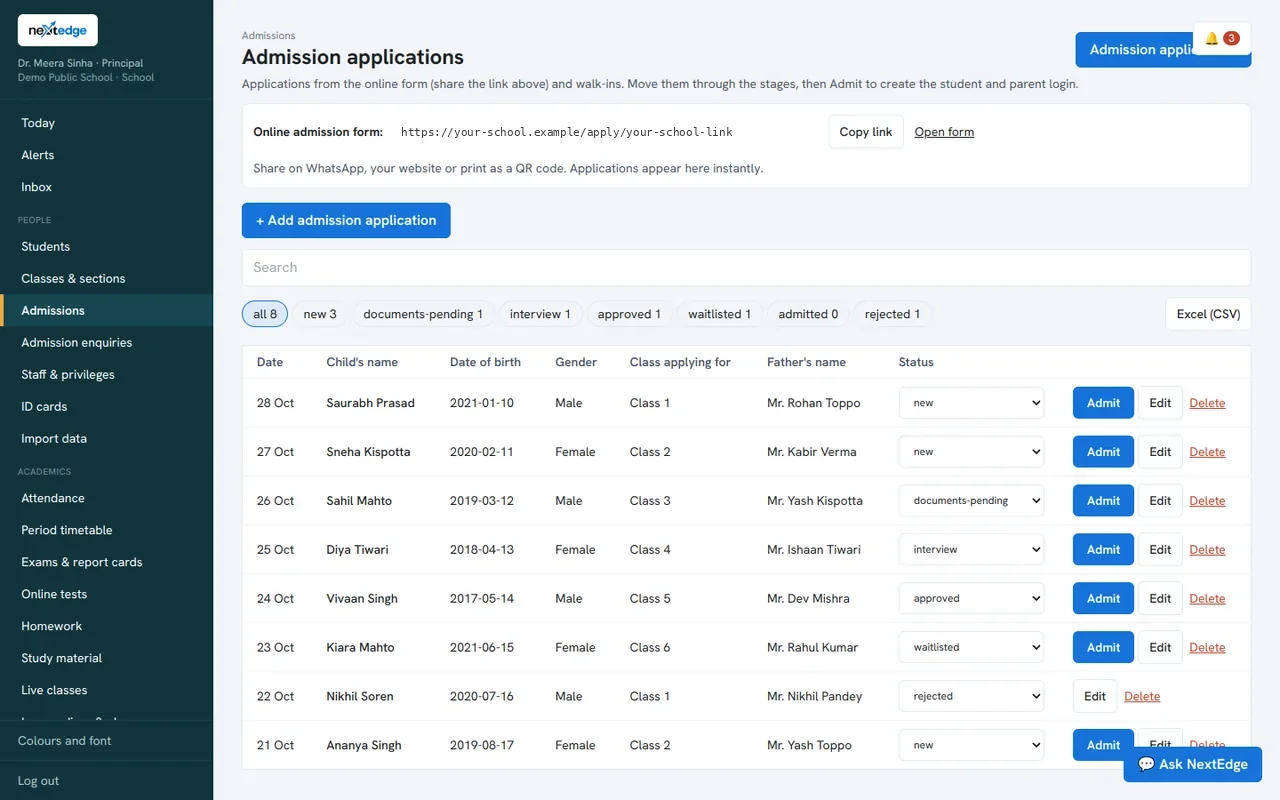
Online applications, with documents, moving through five stages to admitted.
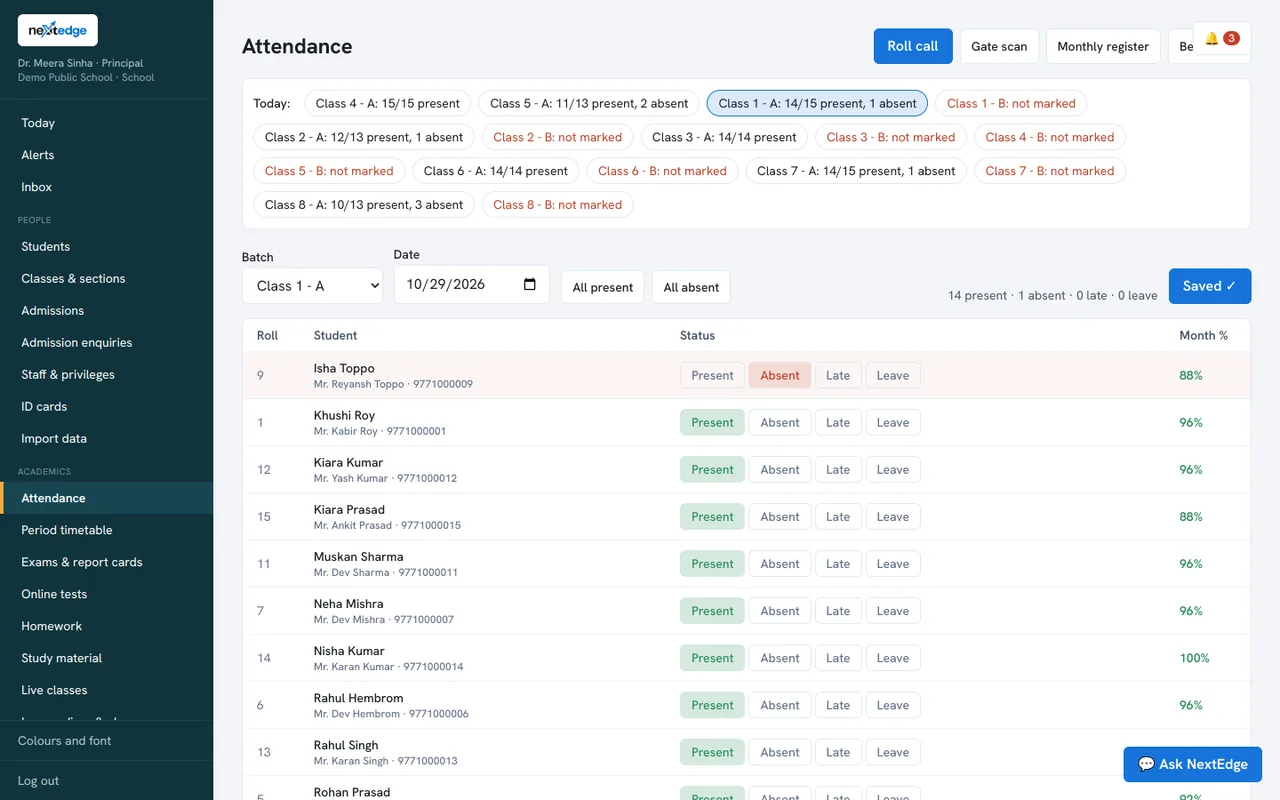
Roll call for a class: all present, then tap the absent students.
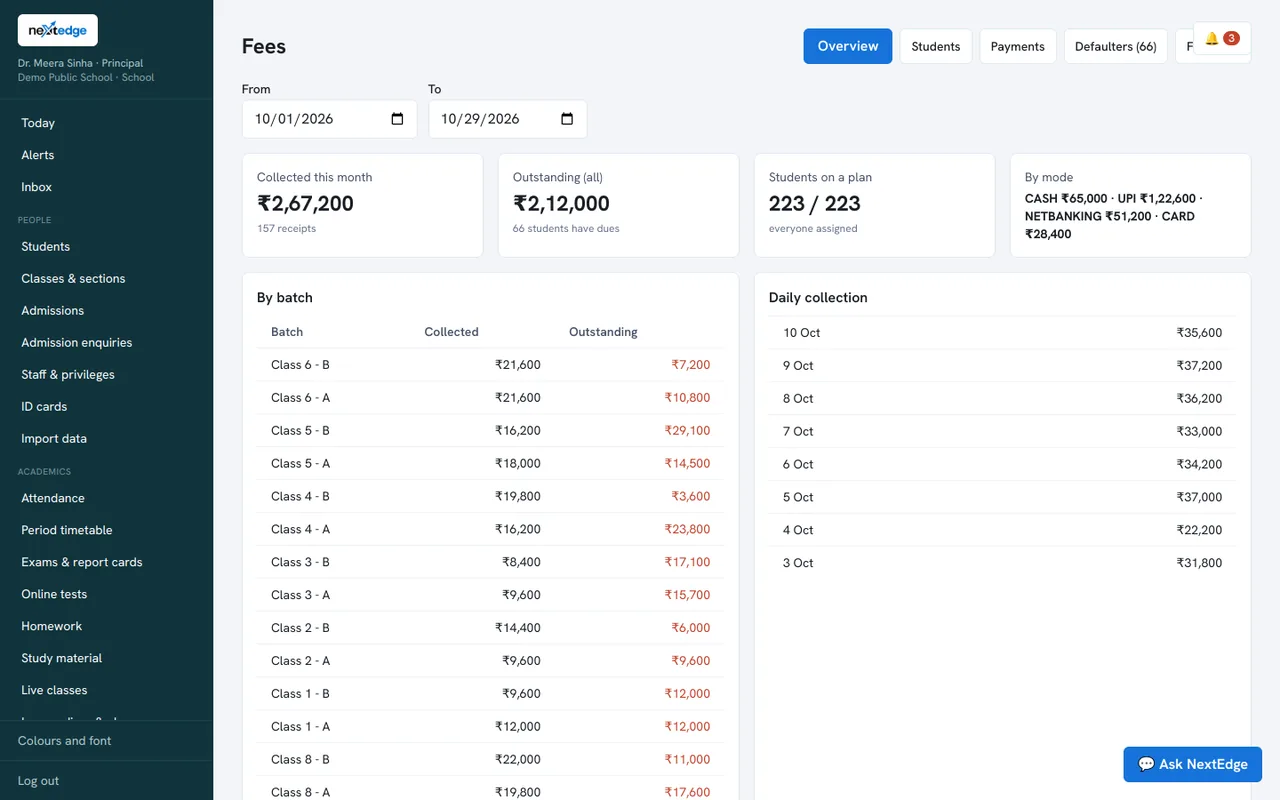
Collected and outstanding by class, daily collection, and a clear view of dues.
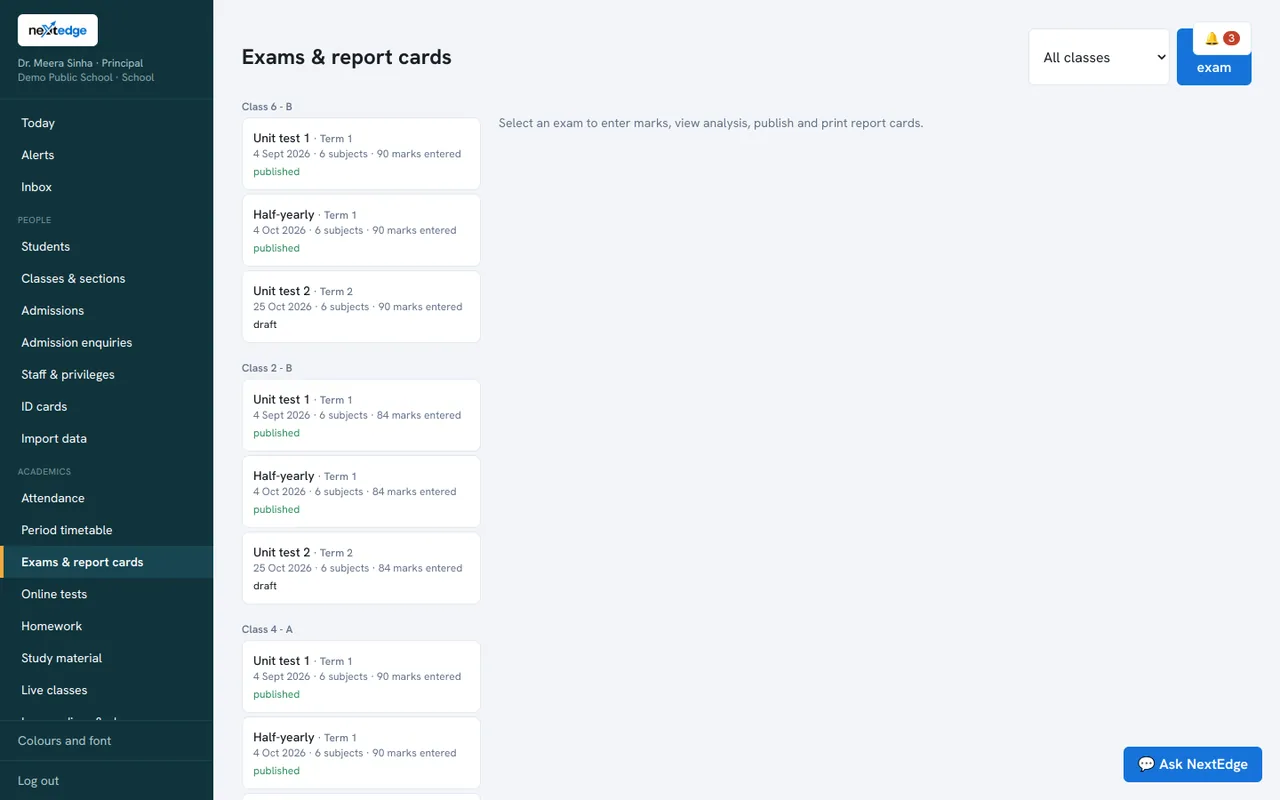
Create exams, enter marks, publish results and print report cards.
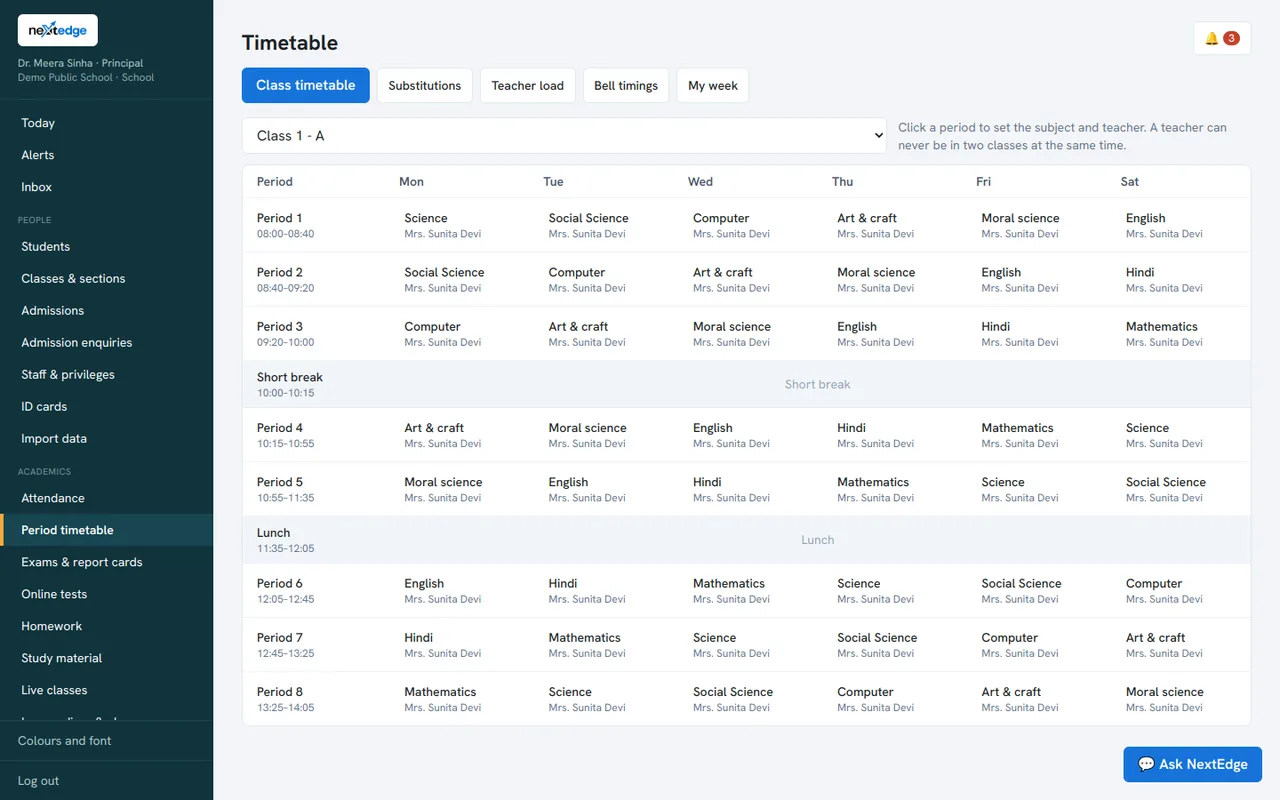
Period-by-period timetable for each class, with clash checks.
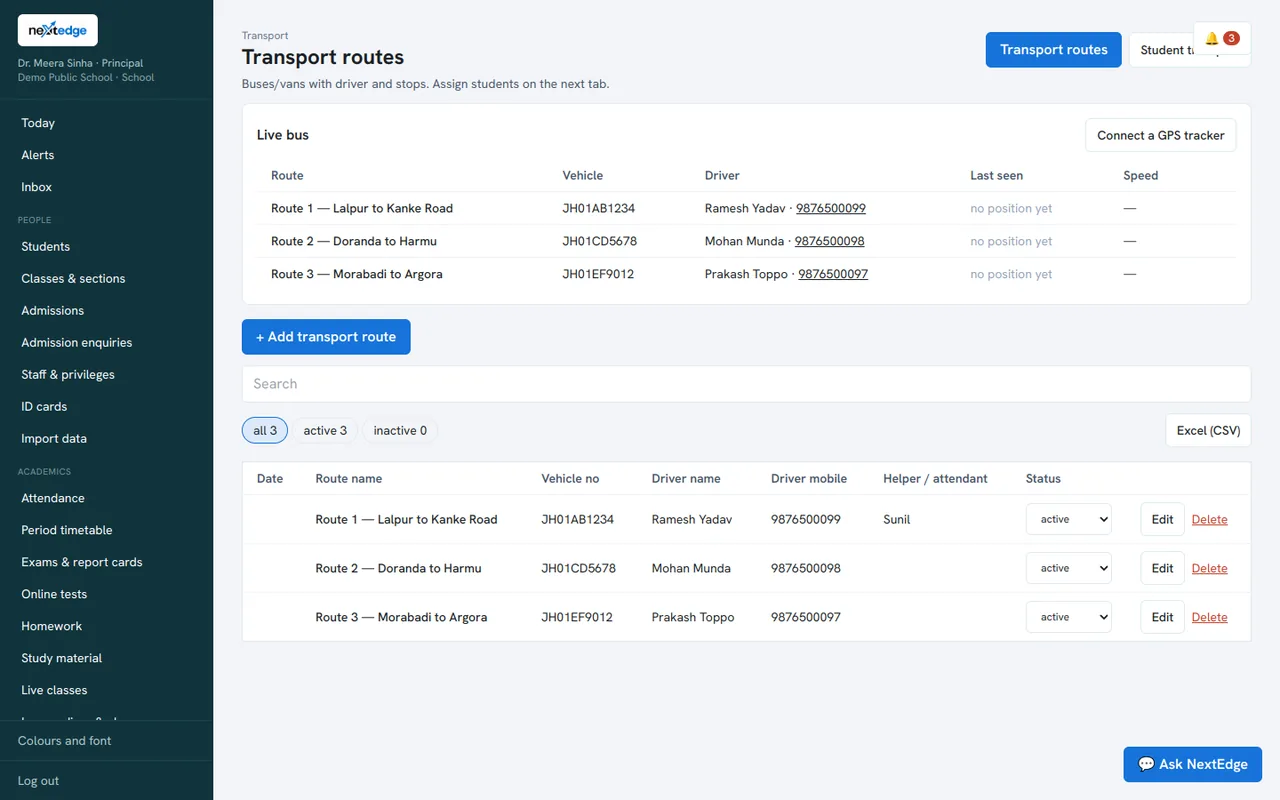
Routes, drivers and the last position of every bus.
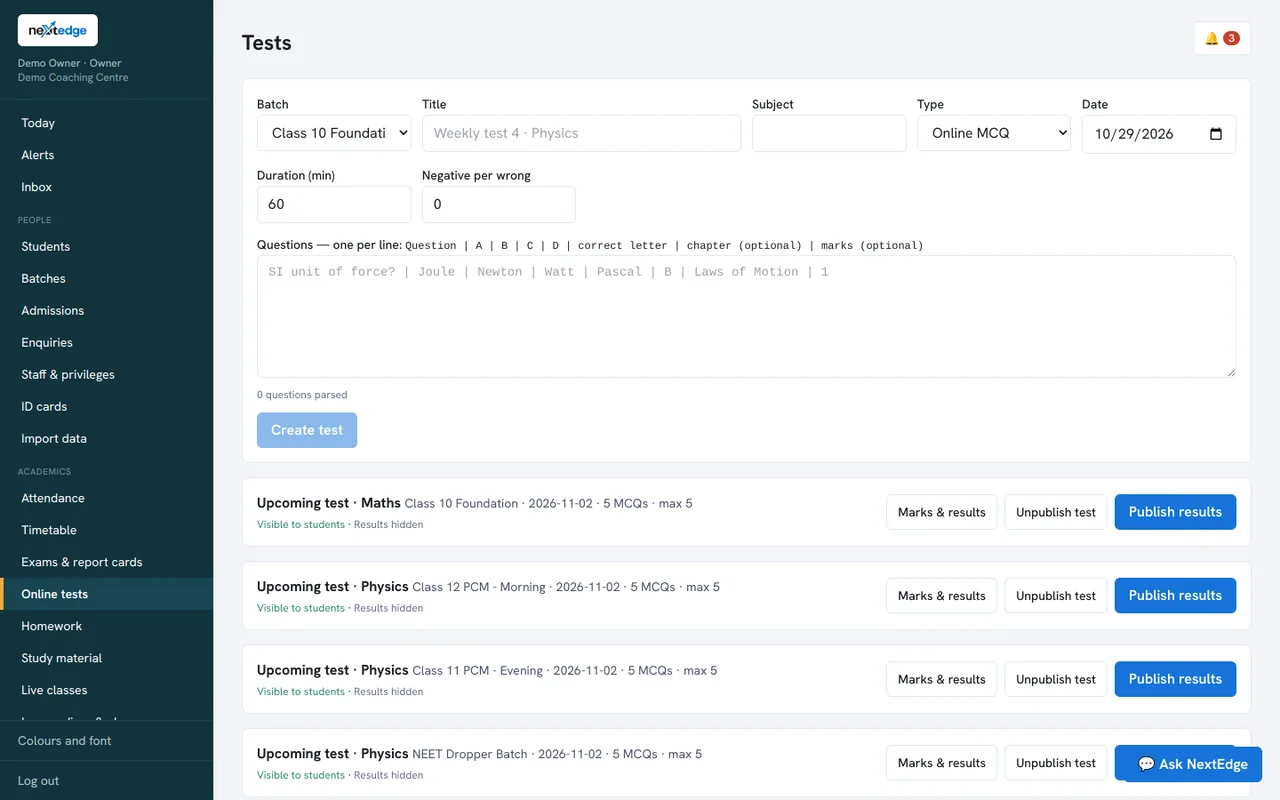
Multiple-choice tests with negative marking for a coaching batch.
Ask your school a question
Type it the way you would say it. The assistant looks up your own students, fees and attendance and answers, and it can show you where to click for anything else.
- “Who has not paid fees?” or “Today’s attendance by class”
- “How do I print report cards?” with the exact menu path
- It can only read. It never changes your data
- Staff only see what their permissions allow
Smart answers about your own data need the AI option switched on. Help answers work without it.
Smart import
Moving from paper or spreadsheets? Upload what you already have.
- Excel, CSV, Word and PDF files
- Even a photo of your paper register
- Check and fix every row before you import
- Students, staff, enquiries, books and stock
Reading a photo needs the AI option switched on.
Parents see where the bus is
No special devices. The driver opens the app and taps Start. Parents open “Where is the bus?” and see the last position, with a map link.
- Driver’s phone shares the location while the trip runs
- Already have GPS trackers? They can send positions to NextEdge too
- Ending the trip removes the bus from parents’ screens
- Parents only see the bus their own child rides
Admin view: every route and the last position of each bus.
Reach every parent
Notices and alerts go the way parents actually read them.
App, WhatsApp, SMS, email
Send once. NextEdge tries the app first, then WhatsApp, then SMS, so the message gets through. You set your policy for SMS.
OTP login
Parents and staff can sign in with a one-time code by email, SMS or WhatsApp once you connect your provider.
A log of every message
See what was sent, to whom and whether it worked. Mobile numbers are never shown in full.
Works with MSG91, Fast2SMS, Twilio and the Meta WhatsApp Cloud API, using your own accounts.
Plays well with what you already use
Connect the things your school already has.
- Biometric machines (ZKTeco-style push)
- Razorpay for online fee payment
- Live classes on Jitsi, Zoom, Google Meet and Microsoft Teams
- Phone notifications through Firebase
- GPS trackers for buses, if you have them
Biometric attendance
Register a machine by its serial number and give each student and staff member an ID. Punches mark attendance on their own, and parents are told.
About attendanceMake it yours
Every person picks a look and a font. Three colour themes, each with its own button style, and five fonts, three of them made for Hindi.
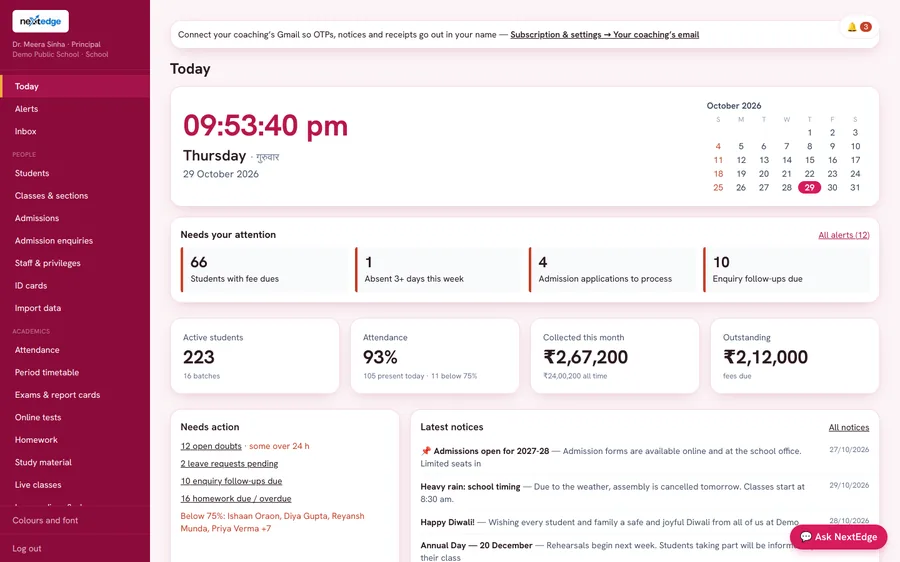
Crimson soft cards, round buttons
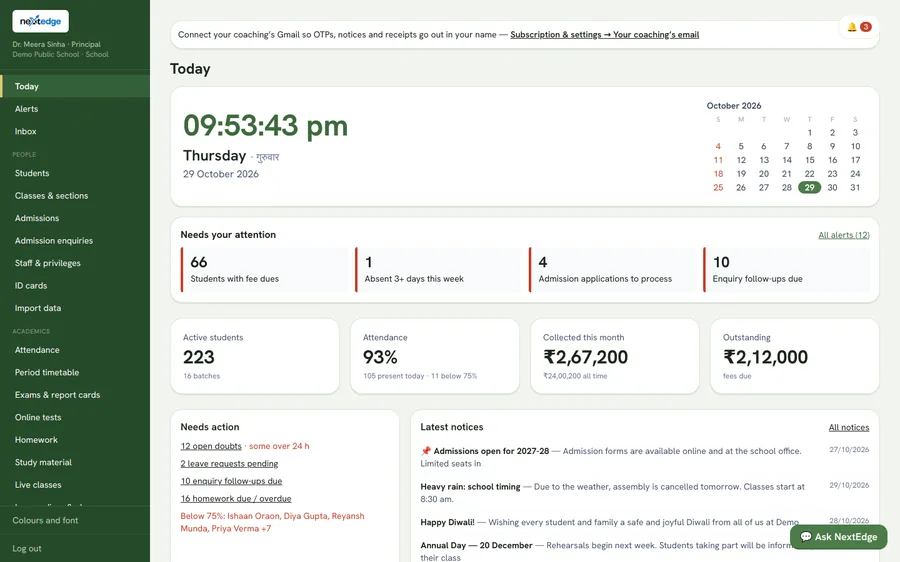
Forest calm green, tile buttons
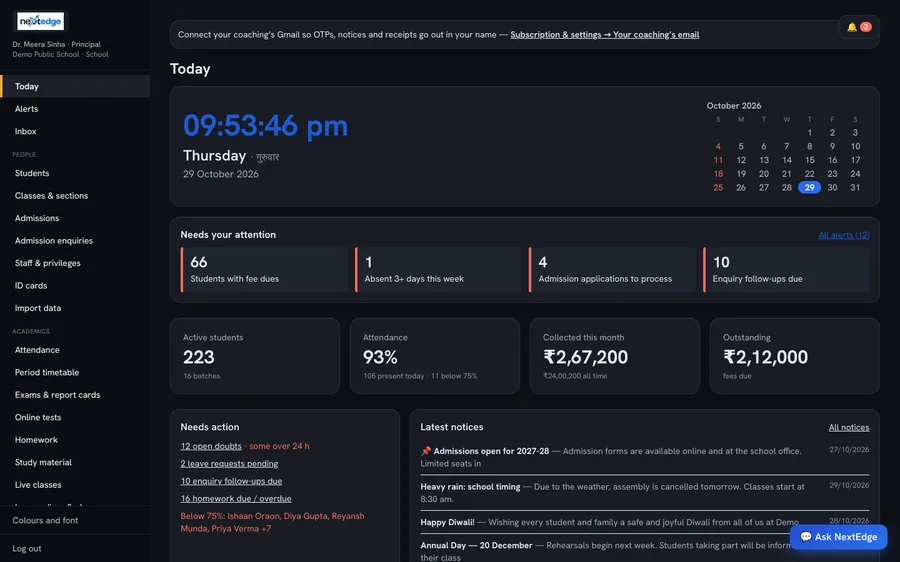
Midnight dark, glowing blue
Built so your data stays yours
The basics done properly.
Roles and permissions
Owners decide which modules every staff member can open. Parents and students only see their own records.
Activity and login history
See who signed in, from where and when, and review failed attempts. Support access by our team is logged and visible to you.
Download your data
Take a full copy any time. Message-provider keys are left out of the download.
Start in four steps
Book a demo
We show it on your kind of institution, or you try the live demo yourself.
Bring your data
Import students and staff from Excel, PDF or a photo of your register.
Set up
Classes, fee plans, staff permissions and your message accounts.
Go live
Invite parents and staff. They sign in with the email or mobile you registered.
Questions we hear
Is NextEdge for schools or for coaching centres?
Both. It is one platform, and the menu adapts to the type of institution. A school sees admissions, report cards, certificates and transport. A coaching centre sees batches, study material, live classes and online tests.
Can we try it before we pay?
Yes. Every new centre starts with a 30-day free trial. You can also open the live demo right now with the demo logins on the demo page.
How do we move our existing records in?
Use Smart import. It reads Excel, CSV, Word and PDF files, and can even read a photo of a paper register (the photo option needs the AI option switched on).
Do parents need to install an app?
There is an Android app, and the same app runs in any phone browser, including iPhone Safari, where it can be added to the Home Screen. A native iPhone app is not on the App Store yet. Parents also get alerts by WhatsApp or SMS if you set those up.
Does it work with biometric machines?
Yes, with ZKTeco-style machines that push attendance to a server. You register the machine and give each student or staff member an ID on it. Other machines can send punches through our import and punch options.
Do we need special hardware for bus tracking?
No. The driver opens the app on a phone and shares the location. If you already have GPS trackers, they can send positions to us too.
Can we take our data with us?
Yes. You can download a copy of all your data at any time from the Subscription page.
Who pays for WhatsApp, SMS and online payments?
Those use your own accounts with the provider (for example MSG91, Meta WhatsApp, Razorpay), so their charges come from them. NextEdge connects them and shows you the delivery log.
Does it support Hindi?
Hindi names, notices and fonts work well, and three of our five fonts are chosen for Hindi. The screens themselves are in English today.
Who do we call for help?
Customer care is on 9770 996 996.
See it on your own school or centre
Book a free demo. We will call you back, usually the same working day.