 NextEdge
School ID card and certificate generator
ID cards and certificates eat office time at the start and end of the year. NextEdge prints them from the records you already keep.
What you can do
- Print a student ID card with photo and a QR code, or a whole class, ten cards to an A4 sheet
- Add photos one by one, or many at once, named by roll number
- Issue a transfer certificate, bonafide, character, study or fee certificate in a few taps
- Each certificate is a PDF with a serial number and your school details from the school profile
- Scan the QR code at the gate with a USB or Bluetooth scanner to mark a student as arrived and tell the parent
- Keep a full profile of each child, with documents, in one place
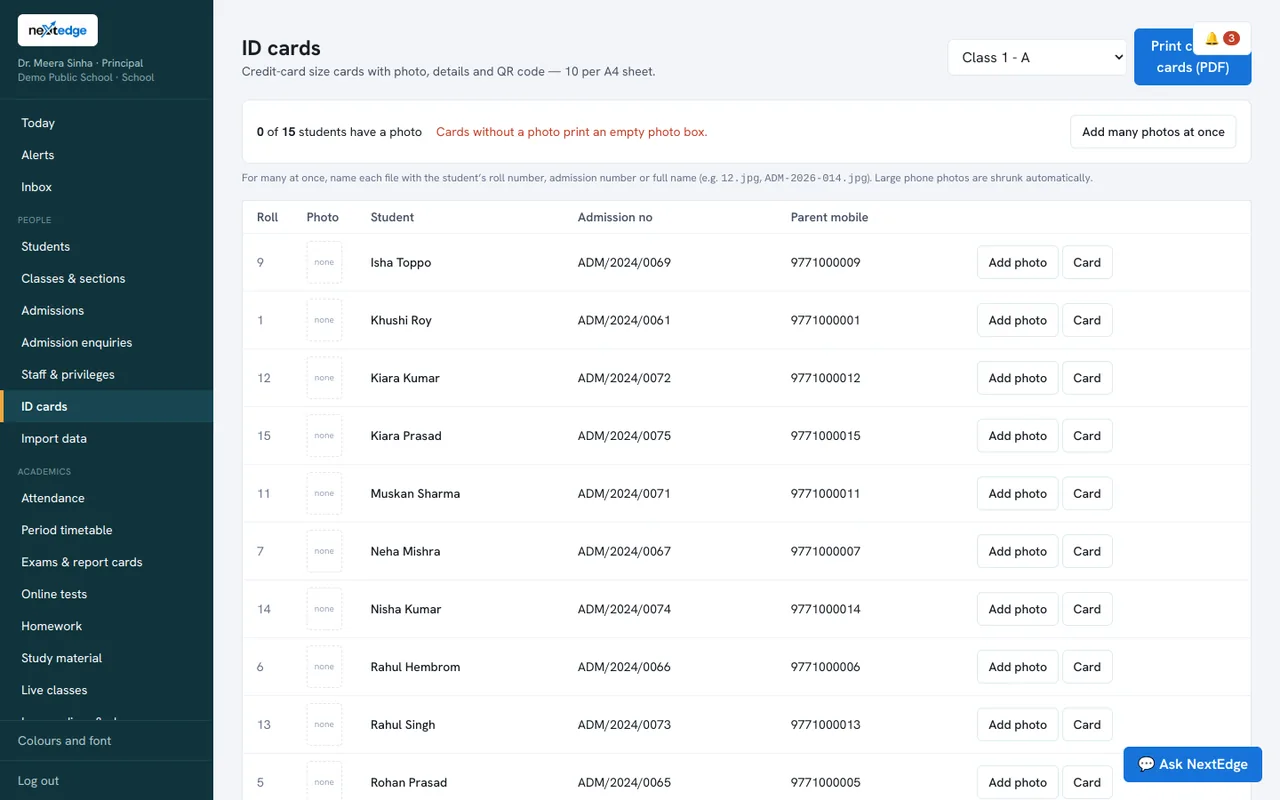
A real screen from the NextEdge admin panel, with demo data.
How it works
Add photos
One by one or in bulk.
Pick the class
Or a single student.
A4 sheets with ten cards.
Issue certificates
Choose the type and the student.
Who uses it
Office staff
Print cards and certificates.
Principal
Sign off what leaves the school.
Parents
Receive documents without queueing.
Common questions
Can we print ID cards for a whole class at once?
Yes. A class prints as a PDF with ten cards to an A4 sheet.
Which certificates can we generate?
Transfer, bonafide, character, study and fee certificates.
Do certificates carry a serial number?
Yes.
What goes on the certificate letterhead?
The details in your school profile, such as name, affiliation and address.
See it with your own data
Book a free demo, or try the live demo school now.