 NextEdge
School exam and report card software
Results season should not eat a week. NextEdge handles the marks grid, the ranks, the analysis and the report cards, and parents see results in the app once you publish.
What you can do
- Create an exam for a class with its term, subjects and maximum marks
- Enter marks in a grid, subject by subject or student by student
- Set your own grading scale
- See ranks, toppers, and the subjects where a class is weak
- Publish when you are ready. Until then parents see nothing
- Print one report card, or the report cards of a whole class in a single PDF
- Parents and students open results and report cards in the app
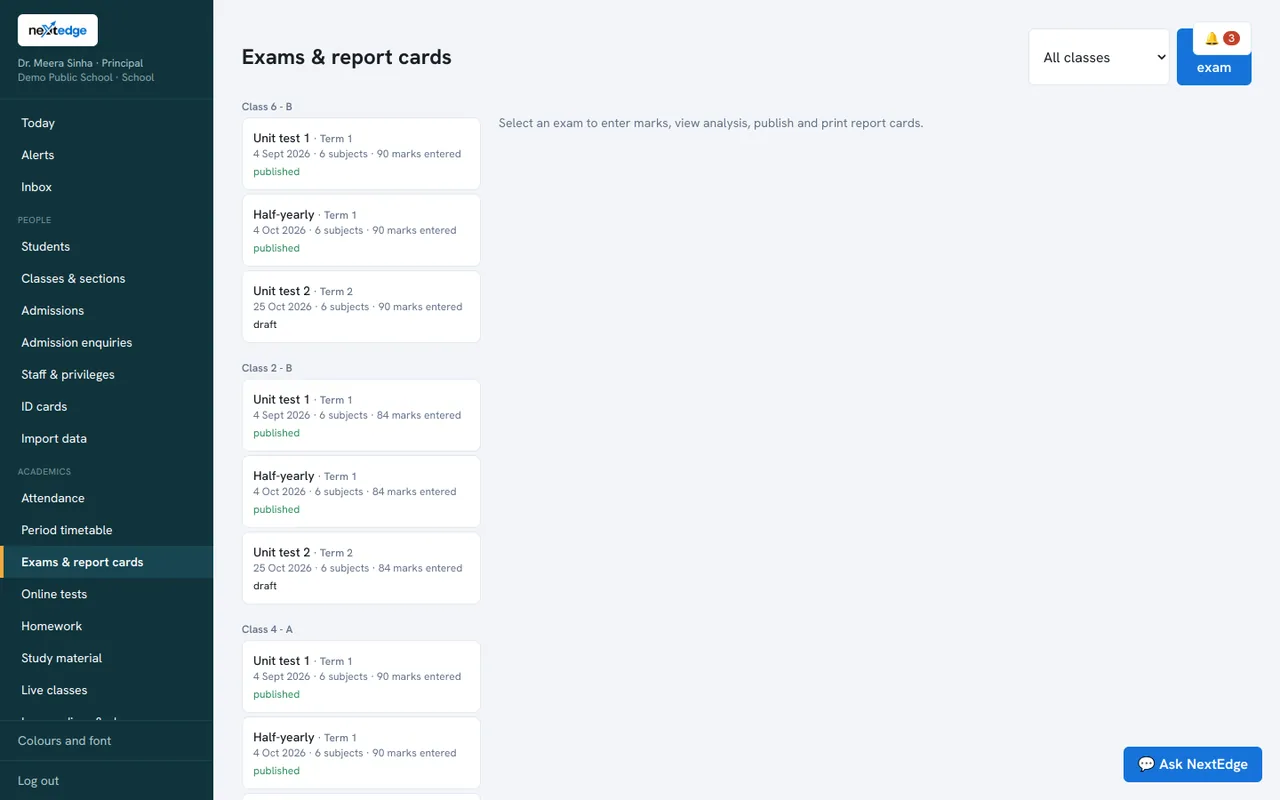
A real screen from the NextEdge admin panel, with demo data.
How it works
Create
Class, term, subjects, maximum marks.
Enter marks
A simple grid, saved as you go.
Analyse
Ranks and weak subjects.
Publish and print
Report cards as PDF.
Who uses it
Teachers
Enter marks for their subject.
Principal
Analysis and rankings for the class.
Parents
Results and report card in the app.
Common questions
Can we print report cards for the whole class together?
Yes. One PDF holds the report cards of the whole class.
Can we use our own grading scale?
Yes. The grading scale is set in your school profile.
When do parents see results?
Only after you publish them.
Does it combine several exams into one weighted result?
Not today. Each exam is reported on its own.
See it with your own data
Book a free demo, or try the live demo school now.