 NextEdge
Online test and live class software for coaching centres
Coaching is about the batch: the classes, the tests and the doubts. NextEdge puts them in one app that students open every day.
What you can do
- Schedule live classes on Jitsi, Zoom, Google Meet or Microsoft Teams. Students join from the app and attendance is recorded
- Set multiple-choice tests with a timer and negative marking. Answers stay hidden until you publish the results, then students see the answer key
- See results with rank and chapter-wise scores
- Share notes, links and PDFs with a batch. Students only see their own batch's material
- Let students ask doubts and teachers answer them in one inbox
- Give homework and grade it with remarks
- Assign a fee plan to a whole batch, and follow enquiries until admission
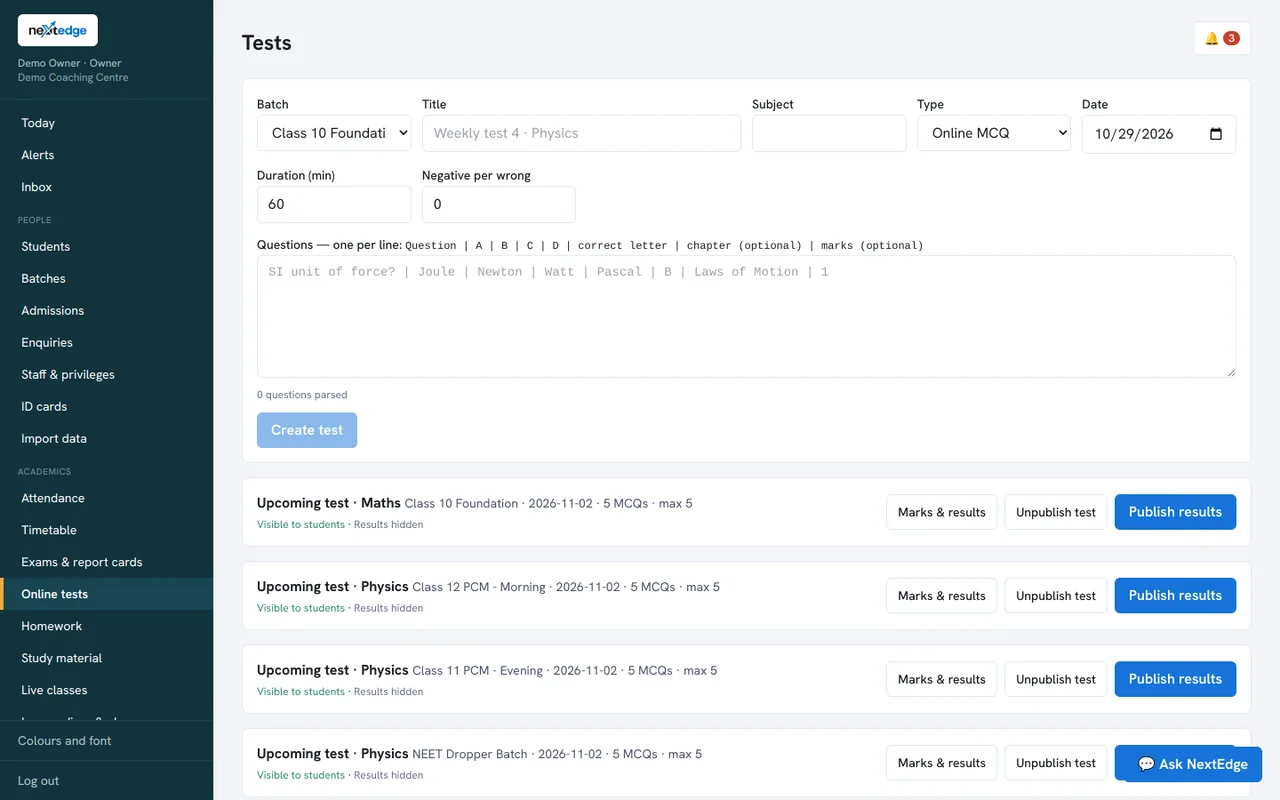
A real screen from the NextEdge admin panel, with demo data.
How it works
Create the batch
Add students and teachers.
Teach
Live class, notes and homework.
Test
MCQ with negative marking.
Review
Results, ranks and doubts.
Who uses it
Teachers
Classes, tests, homework and doubts.
Students
Everything for their batch in one app.
Owner
Batches, fees and enquiries.
Common questions
Does it support negative marking?
Yes. You set the penalty for a wrong answer when you create the test.
Which live class providers can we use?
Jitsi, Zoom, Google Meet and Microsoft Teams.
Can students see another batch's material?
No. Material is shown only to the batch it was shared with.
Is it only for coaching centres?
No. Schools use the same tests, live classes and homework.
See it with your own data
Book a free demo, or try the live demo school now.